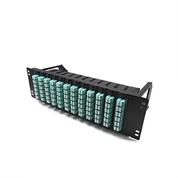
OLT Economical 8-port Gigabit Switch
OLT economical 8-port Gigabit switch is a cost-effective network switching device, suitable for small businesses and home networks. The product adopts advanced technology and high-quality materials, which guarantee its good performance and reliability.

- Product Introduction
OLT economical 8-port Gigabit switch is a cost-effective network switching device, suitable for small businesses and home networks. The product adopts advanced technology and high-quality materials, which guarantee its good performance and reliability.
The switch has 8 Gigabit electrical ports, which can meet the basic needs of small businesses and home networks. It also supports various network functions such as VLAN and QoS, and can be easily used for network management and optimization. In addition, the switch also has lightning protection, anti-static and other safety protection measures to ensure the safety and stability of the network.
In terms of use, the switch is easy to use, supports the Plug and Play function, plug and play, and does not require cumbersome configuration, and is suitable for non-professionals. At the same time, the switch also has a compact shape design, takes up little space, and can be used in combination with other devices.
Product Features
1. Multi-port design: The switch has 8 Gigabit electrical ports, which can meet the basic needs of small businesses and home networks, and at the same time support a variety of network functions, which can facilitate network management and optimization.
2. High performance: The switch adopts advanced technology and has high-speed forwarding and processing capabilities, which can meet the high-speed transmission needs of small networks.
3. Easy to use: The switch supports Plug and Play function, plug and play, no need for cumbersome configuration, suitable for non-professional use.
4. Safety and stability: the switch has a variety of safety protection measures, such as lightning protection, anti-static, etc., to ensure the safety and stability of the network.
5. Small appearance: The switch adopts a small appearance design, takes up little space, and can be used in combination with other devices for convenient layout.
6. High cost performance: The switch is affordable and cost-effective, suitable for the budget of small businesses and home networks, and is one of the first choices for small network construction.
Product Image

Product Applications
1. Small enterprise network: This switch is suitable for small enterprise network construction, which can meet the needs of enterprise internal network communication and data transmission.
2. Home network: This switch is suitable for building a home network and can meet the networking needs of various devices in the home, such as PCs, mobile phones, and smart TVs.
3. School education network: This switch is suitable for the construction of school education network, and can meet the needs of school internal network communication and data transmission, such as teaching and management.
4. Internet cafe: This switch is suitable for the network construction of Internet cafes, which can meet the needs of users for multi-device networking and high-speed transmission.
5. Other small network scenarios: This switch is also suitable for the construction of other small network scenarios, such as small shops, hotels, etc.
Product Parameters
| Switch Types | Ethernet Switches | Switching capacity | 16Gbps |
| Forwarding rate | 11.9Mpps | Port type | 8 Gigabit electrical ports |
| Port rate | Adaptive 10/100/1000Mbps | VLAN support | 802.1Q VLAN, 4K VLAN ID |
| QoS support | 802.1P, DSCP | MAC address table | 8K |
| Working temperature | 0℃ ~ 40℃ |
Instructions For Use
Step 1: After confirming the power supply and network cable interfaces required by the switch, connect it to the power supply and network cable, and wait for the self-test to complete.
Step 2: Insert the device that needs to access the network into any Gigabit electrical port of the switch.
Step 3: If you need to perform network management or optimization settings, you can operate through the web interface or CLI command line. If no setting is required, this step can be ignored.
Step 4: According to network requirements, various network functions such as VLAN and QoS of the switch can be set to optimize network performance and management.
Step 5: During use, if you encounter network problems, you can troubleshoot and solve them through the management interface of the switch.
Terms Of Use
1. Please confirm whether the power supply and network cable interface required by the switch meet the requirements, and connect the power supply and network cable correctly.
2. Do not plug or unplug the network cable at will during use, so as not to affect the normal operation of the switch.
3. Do not use the switch in a humid, high temperature, high pressure, dusty or vibrating environment, so as not to affect its performance and life.
4. Do not place heavy objects on the switch during use, so as not to damage the switch or affect ventilation.
5. Please check the power supply and network cable interface of the switch regularly to ensure that the connection is firm and reliable.
6. If you need to perform network management or optimize settings, please read the instruction manual of the switch carefully and operate according to the instructions.
7. If you encounter network problems, please troubleshoot and solve them through the management interface of the switch.
Customer Comments
Naree Wongthanakit, a web consultant in Bangkok, Thailand, commented
System Administrator in Mexico City, Miguel López, commented
Rizky Purnomo, a network engineer in Jakarta, Indonesia, commented
Ayesha Al Khalifa, Systems Engineer in Manama, Bahrain, commented
Pedro Santos, a web consultant in Rio de Janeiro, commented
Related Blogs
Product Video