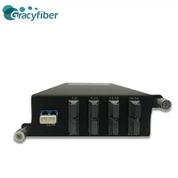
Intelligent 8-port commercial full Gigabit switch
Intelligent 8-port commercial full Gigabit switch is a high-performance, high-reliability network switch, suitable for small and medium-sized enterprises, offices and homes. The switch has intelligent management functions, which can realize network performance optimization and fast fault location.

- Product Introduction
Intelligent 8-port commercial full Gigabit switch is a high-performance, high-reliability network switch, suitable for small and medium-sized enterprises, offices and homes. The switch has intelligent management functions, which can realize network performance optimization and fast fault location.
The switch has 8 Gigabit ports, supports adaptive rate, and can meet the access requirements of various network devices. The switch uses non-blocking switching technology, with a switching capacity of up to 16Gbps and a forwarding rate of 11.9Mpps, which can ensure the efficiency and stability of network data transmission.
The intelligent 8-port commercial full Gigabit switch also has a variety of intelligent management functions, including QoS, VLAN, static routing, etc. The QoS function can perform flow control and scheduling according to the priority of the data flow to ensure the priority transmission of important data; the VLAN function can divide the network into multiple virtual networks to improve network security and manageability; the static routing function can Static configuration to improve network forwarding efficiency.
Product Features
1. High performance: The intelligent 8-port commercial full Gigabit switch adopts non-blocking switching technology, has a switching capacity of up to 16Gbps and a forwarding rate of 11.9Mpps, which can ensure the efficiency and stability of network data transmission.
2. Intelligent management: The switch has a variety of intelligent management functions, including QoS, VLAN, static routing, etc. The QoS function can perform flow control and scheduling according to the priority of the data flow to ensure the priority transmission of important data; the VLAN function can divide the network into multiple virtual networks to improve network security and manageability; the static routing function can Static configuration to improve network forwarding efficiency.
3. Flexible management interface: The intelligent 8-port commercial full gigabit switch supports various management methods such as Web, CLI, and SNMP, which can meet the management needs of different users.
4.8 Gigabit ports: The switch has 8 Gigabit ports, supports adaptive rate, and can meet the access requirements of various network devices.
5. High reliability: The switch has multiple fault protection functions, such as port mirroring, port isolation, link aggregation, etc., which can improve the reliability and security of the switch.
6. Power saving and energy saving: The intelligent 8-port commercial full Gigabit switch adopts energy saving technology, which can automatically adjust the power according to the port connection status and data transmission volume, reducing energy consumption and maintenance costs.
7. Easy to use: The switch supports plug and play, no complicated configuration and installation, easy to use and easy to maintain.
Product Image

Product Applications
1. Small and medium-sized enterprises: The intelligent 8-port commercial full Gigabit switch is suitable for small and medium-sized enterprises and can meet the needs of internal network access. The switch has the characteristics of high performance, intelligent management and high reliability, which can improve the stability and management efficiency of the enterprise network.
2. Office: The intelligent 8-port commercial full Gigabit switch is suitable for office network access and can meet the access requirements of various network devices. The switch has the characteristics of flexible management interface, high reliability and power saving, which can improve the manageability and energy saving efficiency of the office network.
3. Home: The intelligent 8-port commercial full Gigabit switch is suitable for home network access and can meet the access needs of various network devices. The switch has the characteristics of simple and easy to use, high reliability, power saving and energy saving, and can improve the reliability and energy saving efficiency of the home network.
4. School: The intelligent 8-port commercial full Gigabit switch is suitable for school network access and can meet the access needs of various network devices. The switch has the characteristics of high performance, intelligent management and high reliability, which can improve the stability and management efficiency of the school network.
5. Hospital: The intelligent 8-port commercial full Gigabit switch is suitable for hospital network access and can meet the hospital's internal network access requirements. The switch has the characteristics of high reliability, flexible management interface and power saving, which can improve the reliability and energy saving efficiency of the hospital network.
Product Parameters
| Switch Type | Commercial Full Gigabit Switch | Number of ports | 8 |
| Switch Architecture | Non-Blocking Wire Speed | Switching Capacity | 16Gbps |
| MAC address table capacity | 8K | Number of VLANs | 32 |
| QoS support | Support 4 priority queues | Static routing support | Support IPv4 static routing |
| Static routing support | Support IPv4 static routing | Power Type | External AC Power |
| Intelligent management | Support Web, CLI, SNMP, etc. | Network interface type | 8 Gigabit adaptive rate RJ45 ports |
Instructions For Use
1. Connect the power supply and network cable: Connect the power cable and network cable of the intelligent 8-port commercial full gigabit switch to the power socket and network equipment respectively to ensure a stable connection.
2. Check the indicator lights: After the connection is completed, check whether the indicator lights of the switch are normal, including the power indicator, port indicator, status indicator, etc., to ensure that the switch is in a normal working state.
3. Configure the management method: select the appropriate management method, such as Web, CLI, SNMP, etc., to configure the management of the switch. According to actual needs, set intelligent management functions such as QoS, VLAN, and static routing of the switch to improve network performance and management efficiency.
4. Connect network devices: Connect the devices that need to access the network to the Gigabit port of the switch to ensure a stable connection. The switch supports adaptive rate, which can be automatically adjusted according to the transmission rate of the device.
5. Monitor network status: use the management tools provided by the switch to monitor and manage the network, identify and solve network faults in time, and ensure the stability and reliability of the network.
Terms Of Use
1. Power supply and network cable interface: When connecting the power supply and network cable, ensure the stability and correctness of the interface to avoid poor contact or wrong connection.
2. Environmental adaptability: When using the switch, consider its environmental adaptability, and avoid placing it in an environment with high temperature, humidity or excessive dust, which will affect the normal operation of the switch.
3. Selection of management method: When configuring the management method, select the appropriate management method according to actual needs, such as Web, CLI, SNMP, etc., to ensure the adaptability and reliability of the management method.
4. Network device connection: When connecting network devices, ensure that the transmission rate of the device is consistent with the port rate of the switch to avoid mismatching of the transmission rate. At the same time, make sure the connection is firm and avoid bad or loose connections.
5. Monitor the network status: When using the switch, it is necessary to monitor the network status in time, discover and solve network faults, and ensure the stability and reliability of the network.
6. Security protection: When using the switch, pay attention to network security protection, such as setting passwords, access control, etc., to avoid unauthorized access and attacks.
Customer Comments
Diego Silva, a network engineer in São Paulo, Brazil, commented
Olga Ivanova, System Administrator in Moscow, Russia, commented
Rajesh Patel, a web consultant in Mumbai, India, commented
Lungile Dlamini, Systems Engineer in Johannesburg, South Africa, commented
Sato Hiroshi, a network consultant in Osaka, Japan, commented
Related Blogs
Product Video