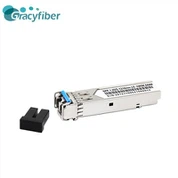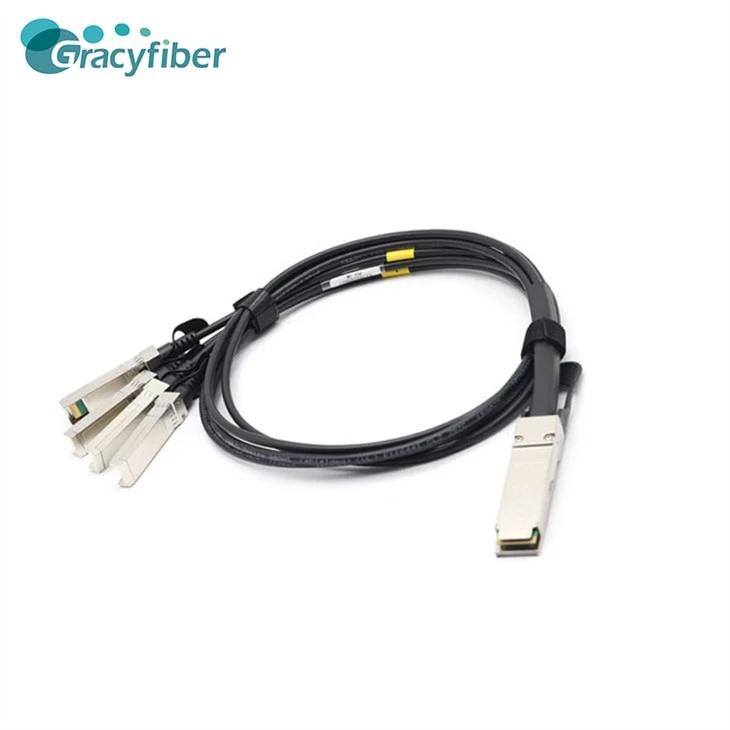
QSFP Passive Optical Cable-Hot Swap Optical Cable
QSFP passive fiber optic cable is a high-speed data transmission solution for connecting devices such as servers, storage devices, network switches and routers. It uses four independent channels, each supporting up to 25 Gbps for a total bandwidth of up to 100 Gbps. QSFP passive optical cable is ideal for use in data centers, cloud computing and high performance computing due to its low latency, low power consumption and high reliability.

- Product Introduction
Product Features
1. High-speed transmission: QSFP passive optical cables are capable of data rates up to 40 Gbps, which can meet the needs of high-speed data centers and network applications.
2. High Density: The small interface size of QSFP passive fiber optic cable allows for high density port configurations, saving cabinet space and reducing data center costs.
3. High Reliability: QSFP passive optical cables use high-quality optical components and assemblies with good interference immunity and stability to ensure the reliability and stability of data transmission.
4. Flexibility: QSFP passive optical cable supports multiple protocols and applications, including Ethernet, Fibre Channel, InfiniBand, etc., which can be adapted to different application scenarios and needs.
Product Image

Product Applications
1. Data Center: As the scale of data center is expanding, the communication demand inside the data center is getting higher and higher. QSFP passive optical cable can well meet the demand of high-speed communication inside the data center, and can be used for interconnection between servers, interconnection between storage devices, etc.
2. Cloud computing: Cloud computing requires a large amount of data transmission and processing, and QSFP passive fiber optic cable can provide high-speed and stable data transmission, and can be used for interconnection between cloud computing clusters, interconnection between cloud storage devices, etc.
3. Network communication: In modern network communication, high-speed and stable data transmission is very important. QSFP passive fiber optic cable can provide high-speed and stable data transmission and can be used for interconnection between network switches, interconnection between routers, etc.
Product parameters
| Type | QSFP Passive Fiber Optic Cable | Connector Type | MPO/MTP |
| Transmission Rate | 40Gbps | Operating Temperature | 0°C to 70°C |
| Transmission Distance | 100m | Storage Temperature | -40°C to 85°C |
| Optical Mode | Multimode Fiber | Supply Voltage | 3.3V |
| Wavelength | 850nm | Maximum Power Consumption | 1.5W |
Instructions For Use
1. Confirm equipment compatibility: Before using QSFP passive optical cable, please confirm whether your equipment supports the product. You can check the specification of the device or consult the device manufacturer for the information.
2. Connect the fiber optic cable: Insert the QSFP passive fiber optic cable into the port of the device and make sure it is firmly inserted. Please note that the fiber optic cable should be connected in the same direction as indicated by the port of the device.
3. Configure the device: After connecting the fiber optic cable, you need to configure it accordingly according to the requirements of the device. Please refer to the user manual of the device or consult the device manufacturer for the specific configuration method.
4. Test the connection: After completing the configuration of the device, you need to conduct a connection test to ensure that the fiber optic cable is connected properly. You can use the corresponding test tool to test or test through the test function that comes with the device.
Terms of Use
1. Avoid damaging the fiber optic cable: When using QSFP passive fiber optic cable, please avoid bending the cable or twisting it to avoid damaging it. Also, please avoid exposing the fiber optic cable to sunlight or to high temperature and humidity.
2. Avoid contaminating the fiber optic cable: When using QSFP passive fiber optic cable, please avoid exposing the fiber optic cable to dust, grease and other contaminating substances to avoid affecting the transmission effect of the fiber optic cable.
3. Avoid strong light exposure: When using QSFP passive fiber optic cable, please avoid exposing the fiber optic cable to strong light exposure to avoid affecting the transmission effect of the cable.
4. Pay attention to compatibility: When using QSFP passive fiber optic cable, please ensure equipment compatibility to avoid affecting the transmission effect of the cable due to equipment incompatibility.
Customer Comments
From California, John Smith: Comments
Anna Miller from Bavaria: Comments
From Tokyo, Taro Yamada: Comments
From New South Wales, Emily James: Comments
Juan Garcia, Mexico City: Comments
Related Blogs
Product Video
You Might Also Like