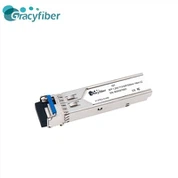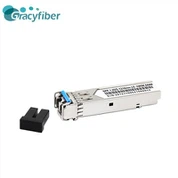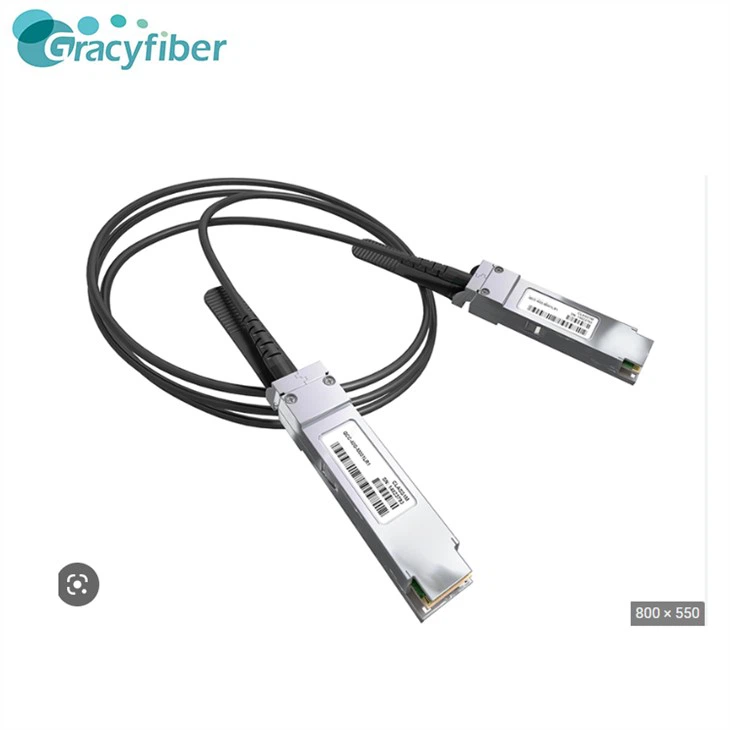

SFP Direct Connect Cable - 40G DAC Fiber Optic Cable
SFP+ direct connect cable is a high-speed data transmission cable, usually used to connect high-performance computer systems such as servers, storage devices and network devices. It uses a small SFP+ interface to support high-speed data transmission at 10Gbps, while enabling hot-swappable and hot-swappable functions for easy maintenance and upgrades.

- Product Introduction
SFP+ direct connect cable is a high-speed data transmission cable, usually used to connect high-performance computer systems such as servers, storage devices and network devices. It uses a small SFP+ interface to support high-speed data transmission at 10Gbps, while enabling hot-swappable and hot-swappable functions for easy maintenance and upgrades.
The SFP+ direct connect cable features fast transmission rate, stable signal, and high reliability, making it suitable for internal connection of high performance computer systems. The product is simple to use, simply insert the SFP+ interface at both ends into the corresponding slot of the server or storage device to achieve connection. During use, care needs to be taken to avoid signal loss due to bending and twisting, as well as to avoid electromagnetic interference and electrostatic interference.
Product Features
1. High-speed transmission: SFP+ direct-connect cable supports 40Gbps high-speed transmission, which can meet the needs of high-bandwidth applications and improve data transmission efficiency and speed.
2. Low latency: SFP+ direct link cable uses copper conductors, with low transmission latency to ensure real-time data transmission and accuracy.
3. Low power consumption: SFP+ direct-connect cables are designed with low power consumption, which can reduce energy consumption and operating costs while reducing the environmental impact.
4. Flexibility: SFP+ direct-connect cables support hot-swapping and can be replaced and upgraded at any time, improving the flexibility and scalability of the system.
5. Security and Reliability: SFP+ Direct Connect cables use high quality materials and manufacturing processes to ensure product stability and reliability, while using encryption technology to ensure the security of data.
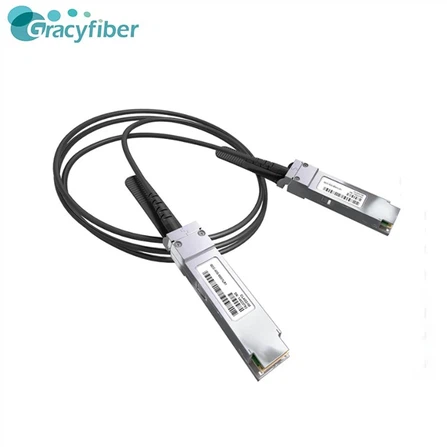
Product Image
Product Applications
1. Data center: SFP+ direct-connect cable is usually used for high-speed interconnection between servers within the data center, which can meet the needs of large-scale data transmission and improve the operational efficiency and performance of the data center.
2. Enterprise internal network: SFP+ direct link cable is also used for high-speed interconnection between servers in the enterprise internal network, which can improve the transmission efficiency and speed of the enterprise internal network and enhance the productivity and competitiveness of the enterprise.
3. cloud computing: SFP+ direct connection cable is also widely used in the field of cloud computing, for high-speed interconnection between cloud computing servers, which can improve the operational efficiency and performance of cloud computing and provide users with high-quality cloud computing services.
4. Supercomputing: SFP+ direct-connect cables are also widely used in the field of supercomputing for high-speed interconnection between supercomputing nodes, which can improve the operational efficiency and performance of supercomputing and provide powerful computing support for scientific research.
Product parameters
| Transmission Rate | 10Gbps | Length | 0.5m ~ 10m |
| Cable Type | Copper | Connector | SFP+ |
| Maximum Power Consumption | 0.5W | Operating Temperature | 0℃ ~ 70℃ |
| Storage Temperature | -40℃ ~ 85℃ |
Instructions For Use
1. Verify that the device supports SFP+ direct connect cables. Before using SFP+ direct connect cables, you need to confirm that the device supports this type of cable. If your device does not support SFP+ direct connect cables, you will need to purchase another type of cable.
2. Connect the SFP+ port. Connect one port of the SFP+ direct connect cable to the SFP+ port of one device, and then connect the other port to the SFP+ port of the other device.
3. Configure the device. After connecting the SFP+ direct connect cable, you need to configure the associated devices. You need to configure the IP address, subnet mask, gateway, and other related information of the device to ensure that the device can communicate properly.
4. Test the connection. After you have finished configuring the devices, you need to test the connection between the devices. You can use the ping command or other related tools to test the connectivity between the devices to ensure that the connection is working properly.
Terms of Use
1. Verify that the device supports SFP+ direct connect cables. Before using SFP+ direct connect cables, you need to confirm that the device supports this type of cable. If your device does not support SFP+ direct connect cables, you will need to purchase another type of cable.
2. Select the appropriate cable length. When purchasing SFP+ direct connect cables, you will need to select the proper cable length. Cables that are too long or too short can affect the efficiency of data transmission.
3. Avoid putting too much stress on the cable. When using SFP+ direct connect cables, you need to avoid applying excessive pressure on the cable. Excessive pressure can damage the cable and affect the efficiency of data transmission.
4. Avoid exposing the cable to too high or too low temperatures. When using SFP+ direct connect cables, you need to avoid exposing the cables to too high or too low temperatures. Too high or too low temperatures can affect the performance and life of the cable.
5. Pay attention to the cleaning and maintenance of the cable. When using SFP+ direct connect cables, you need to pay attention to the cleaning and maintenance of the cables. Cleaning the cable regularly and keeping it dry and clean will extend the life of the cable.
Customer Comments
Emily Brown from Toronto, Canada: Review says
Lucas Silva from Sao Paulo, Brazil: Comment
Giuseppe Rossi from Rome, Italy: commented
Pimchanok Wongsa from Bangkok, Thailand: commented
Thabo Mbeki from Cape Town, South Africa: Comments
Related Blogs
Product Video
You Might Also Like